
Blog
HP45-class and 51645A-compatible cartridges for garment CAD plotters
For a garment CAD plotter that specifies the HP45 or 51645A cartridge format, choose a New or Remanufactured compatible cartridge only after confirming the machine model, holder, ink requirement, and output test. The cartridge reference is a starting point, not a promise that every plotter using similar hardware accepts the same consumable.
MufengTech offers New black cartridges for HP45-class equipment and Remanufactured black cartridges. Both product pages state a minimum order quantity of 10 units. These are independent compatible products, not HP-branded or HP-official products. HP and plotter-brand names identify equipment only.
Start with the plotter, not a list of brand names
Garment CAD rooms use inkjet plotters to turn digital patterns and marker layouts into paper output for production preparation. Fine pattern edges, notches, size labels, and piece identifiers must remain readable across a long roll. Missing short lines can matter as much as a faint large label.
Gerber and Richpeace are examples of equipment names a buyer may encounter in this workflow. Their mention here does not establish compatibility with every model, affiliation, or endorsement. CAD software names alone do not identify the cartridge holder or print module installed on a plotter.
Check the equipment manual and the service provider's consumable requirements before a trial. If the maker restricts consumables or sets service conditions, resolve those conditions before ordering alternatives. Do not interpret a compatible cartridge listing as a guarantee about another company's warranty or support.
Build a machine-specific cartridge request
Send the plotter's full model, nameplate, current cartridge reference, and clear photographs of the holder and cartridge contacts. Include any recognition message shown by the machine. Explain whether the unit uses a standard cartridge holder or a modified print module.
Describe the paper grade, coating, roll width, normal plotting speed, and daily workload. Attach a representative marker file or print sample with the smallest text and shortest notches you need to reproduce. An enquiry that says only "for Gerber" leaves too many variables unresolved.
Ask the supplier to confirm the exact cartridge condition, ink type, fill details, packaging, and batch identification in writing. Keep that confirmation with the sample-trial record so repeat orders refer to the same approved product specification.
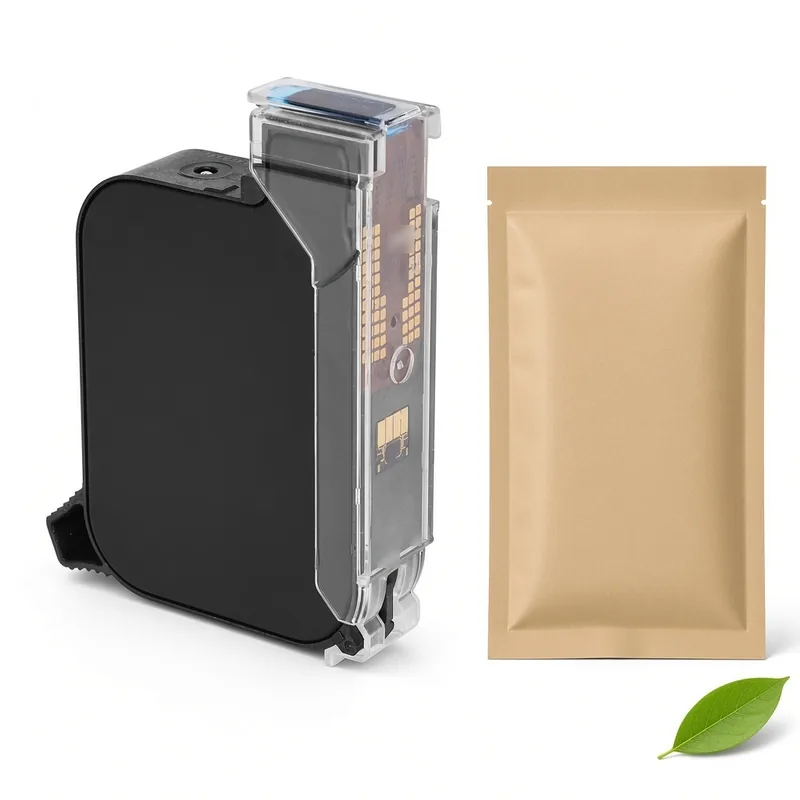
Compare New and Remanufactured without changing the terminology
| Selection point | Novo | Remanufaturado |
|---|---|---|
| Cartridge condition | Never-used compatible cartridge | Recovered cartridge processed for reuse |
| Published sourcing or processing | Sourced from cartridge manufacturers, then tested and sealed | Genuine original HP45 shell and printhead processed at MufengTech's Hong Kong base |
| Published ink | Water-based black ink | Water-based black ink |
| Published format | 12.7 mm print swath, 42 ml class | 12.7 mm print swath, 42 ml class |
| Minimum order quantity | 10 units | 10 units |
| Application approval | Confirm the exact plotter and paper | Confirm the exact plotter and paper |
Confirm the exact fill for the offered batch. Do not convert a 42 ml-class description into a fixed number of plotted metres. Ink use depends on the marker layout, line density, print settings, and maintenance patterns.
What Remanufactured means here
The Remanufactured product page describes original verification, cleaning, controlled refilling, electrical and nozzle checks, print testing, leak and weight checks, and final quality control. It identifies the processing location as Hong Kong. A recovered original shell does not turn the finished cartridge into a new HP product.
What New means here
The New listing describes a never-used cartridge sourced from cartridge manufacturers, then tested, sealed, and sold. New describes condition. It does not mean HP authorization, licensing, or endorsement. Keep New and Remanufactured distinct on purchase orders, stock labels, and customer-facing descriptions.
Match the ink to pattern paper and downstream use
The reviewed MufengTech pages specify water-based black ink for porous materials. They do not establish a particular pigment formulation for garment CAD use. If your machine or workflow requires pigment ink, a special paper, or a defined resistance property, request confirmation rather than assuming the requirement is covered.
Test the actual pattern paper, including any coated or treated stock. Examine line spread, show-through, drying before handling, and transfer when sheets are stacked or rolled. Confirm that labels remain readable during the normal cutting-room process. This article concerns paper patterns and markers, not a claim that the cartridges print directly onto garments.
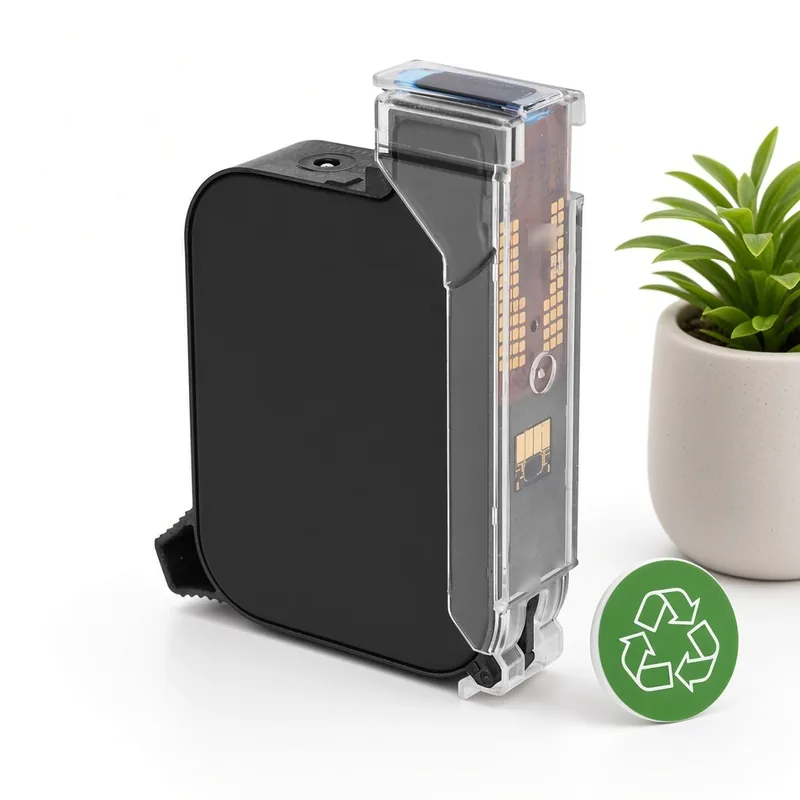
Approve the cartridge with a CAD-room trial
A small test rectangle cannot represent a full marker. Use a file that includes fine curves, diagonal lines, notches, internal marks, and repeated text across the working width. Keep the output settings and paper unchanged when comparing samples.
- Confirm the exact New or Remanufactured product with MufengTech and agree on the sample arrangement. The listed standard MOQ is 10 units.
- Install the cartridge according to the plotter manual. Do not force the holder or alter electrical settings without approved instructions.
- Print the machine's diagnostic pattern, followed by a representative garment marker.
- Inspect line continuity at the start, middle, and end of the run. Check small notches and characters separately.
- Test normal pauses and restarts, then check for unwanted transfer during routine handling.
- Record the cartridge batch, paper, settings, and acceptance result before approving repeat supply.
Check plotted dimensions against your CAD-room procedure too. A cartridge cannot correct paper-feed errors, scale settings, or mechanical alignment. Keep print quality acceptance separate from dimensional calibration so a consumable trial does not hide a machine problem.
Keep cartridge purchasing separate from empty-shell buyback
Buying compatible cartridges does not mean their empty shells qualify for recycling buyback. MufengTech accepts only genuine original HP45 or 51645A empty shells under its published intake rules. Non-original compatible, Remanufactured, and previously refilled cartridges are not accepted for buyback.
Separate eligible original empties from other cartridges and obtain intake confirmation before shipping. Never label a mixed collection as genuine original stock. The HP45 recycling homepage explains the current acceptance rules.
For supply enquiries, send the machine details and paper sample information to [email protected]. Use the MufengTech TIJ site if you also need industrial coding cartridges. A solvent coding cartridge is not an automatic replacement for a water-based plotter cartridge.
FAQ: compatible cartridges for garment CAD plotters
Will a 51645A-compatible cartridge work in every Gerber or Richpeace plotter?
What is the MOQ for New and Remanufactured cartridges?
Are these HP-authorized cartridges?
Can I return empty compatible plotter cartridges for buyback?
Written by the team at Shenzhen Mufeng Technology Limited Company. Questions or orders: WhatsApp +86 158 1405 1051. HP is a trademark of HP Inc. MufengTech is not affiliated with HP Inc.
Related articles
- When to Replace an HP45 CartridgeWhen to replace an HP45 cartridge: signs an HP45 cartridge is running out, HP45 print fading, and how to plan new or remanufactured 51645A swaps (MOQ 10).
- HP45 Cartridge Shelf Life and Storage GuideHP45 cartridge shelf life and storage for new and remanufactured 51645A cartridges: sealed packaging, cool dry storage, FIFO and when to open a unit.
- HP45 Empty Cartridge Grades A, B and C ExplainedHP45 empty cartridge grades A, B and C explained: what each grade means, what is not accepted, how inspection works and how to keep a better grade.